Quick start
the app on your screen.
Run the app with example data in two minutes, with no accounts and no network. Then run the full local stack: the API, the app and the console.
01Quick Start checklist
- Install Flutter 3.41 or newer and Node.js 22 or newer (Requirements);
flutter doctorshows no error for the platform you use - Run the example build (step 1): you see fictional companies and an "Example data" label
- Run the local API (step 2) and open its URL: you get JSON, or a clear error saying which key is missing
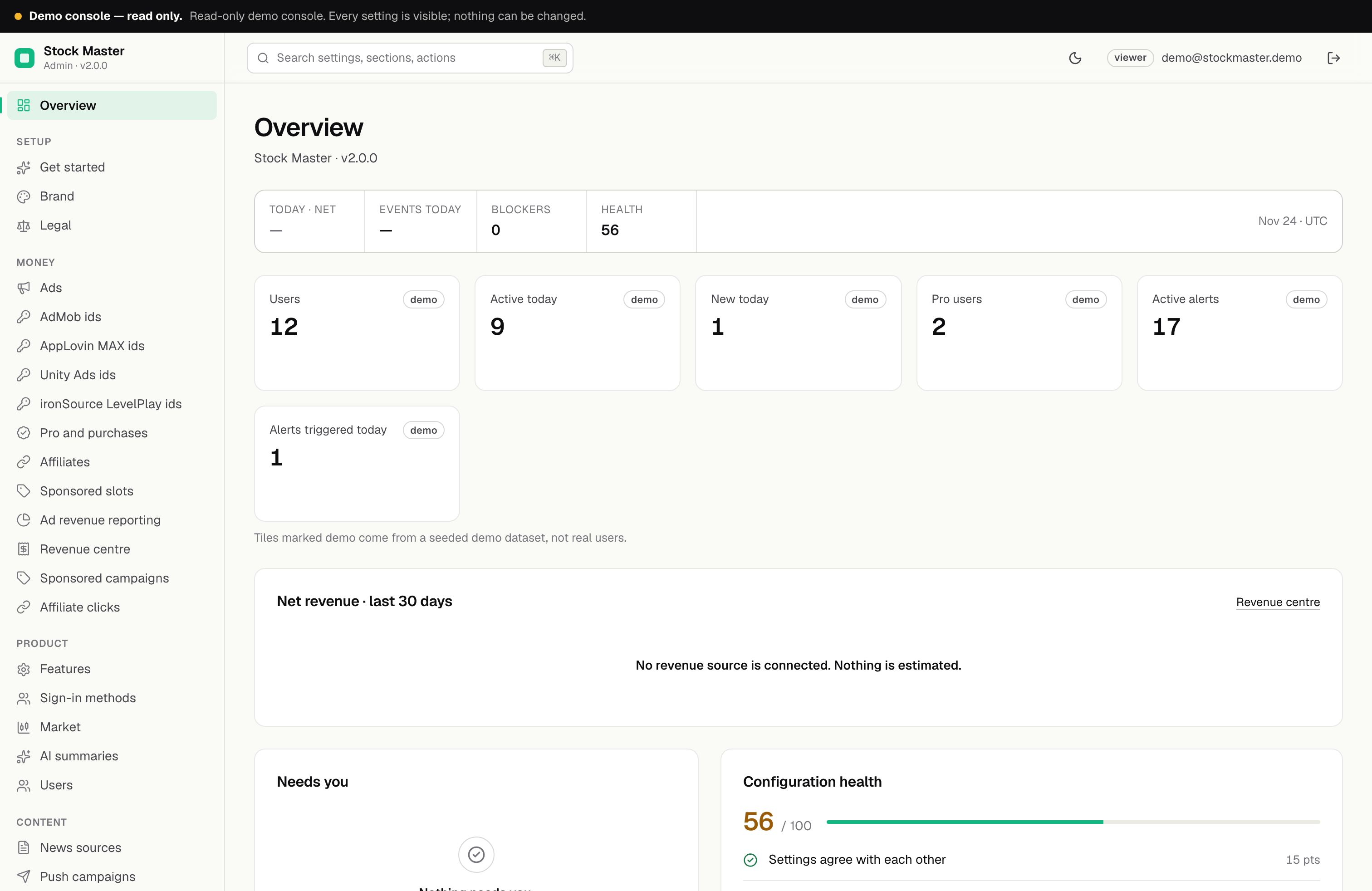
- Run the console with sample data (step 3): you reach the owner form at
http://localhost:8790/admin - Then follow Firebase, Market data and Installation for your own app
Open the source/ folder of the download in a terminal. It holds app/, firebase/ and admin/.
021. The example build (2 minutes, nothing to sign up for)
cd app
flutter pub get
flutter run -d chrome -t lib/main_showcase.dart
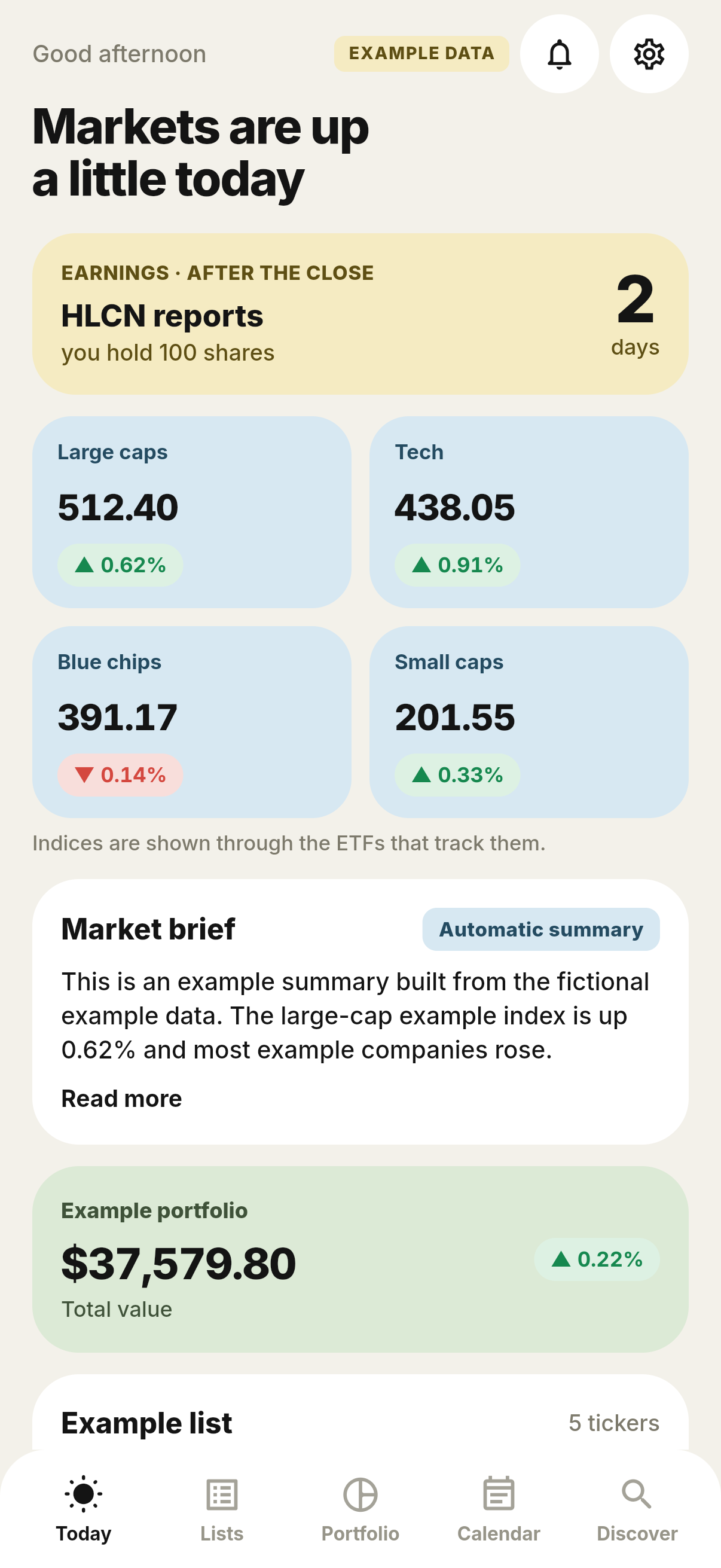
Chrome opens the app. The example build has fictional companies, no network, no Firebase and no data plan. Lists, portfolios and alerts stay on the device, ads and purchases are simulated and labelled "Demo — no charge", and every screen shows an "Example data" label.
The app opens on the Today screen without a setup screen, shows fictional tickers, and the bottom bar has Today, Lists, Portfolio, Calendar and Discover. Open a company, add it to a list, create an alert and open the market brief (a labelled automatic summary). If Flutter says it cannot find a device, run flutter devices and pass your device with -d.
032. The full local run (API plus app)
Two terminals. The first keeps the local API running, the second runs the app against it. This is the same API that runs on Cloud Functions, in memory and without Firebase.
- Start the APIIn the first terminal:
The log sayscd firebase/functions npm ci npm run dev:api # http://localhost:8787Stock Master API (dev, demo mode) on http://localhost:8787/v1/indices. The API has no keys yet, so prices and SEC data need your own values, set beforenpm run dev:api:
Use only one provider key if you have one. Where to get them: Market data.export FINNHUB_KEY=<your key> TWELVEDATA_KEY=<your key> EDGAR_CONTACT="Your Company you@example.com" # macOS, Linux $env:FINNHUB_KEY="<your key>"; $env:TWELVEDATA_KEY="<your key>"; $env:EDGAR_CONTACT="Your Company you@example.com" # Windows PowerShell - Check the APIOpen
http://localhost:8787/v1/indicesin a browser. With a working key you see JSON with"demo": true(the local API labels its data as demo data and skips the display-licence gate). Without any key you see{"error":"upstream_unavailable", ...}that says to add a Finnhub or Twelve Data key;/v1/search?q=AAPLanswersedgar_not_configureduntilEDGAR_CONTACTis set. Both answers prove the API is running. - Start the appIn the second terminal:
cd app
flutter pub get
flutter run -d chrome --dart-define=DEMO_MODE=true --dart-define=API_BASE_URL=http://localhost:8787
DEMO_MODE=true exists for trying the app. It has no Firebase, so your lists, portfolios and alerts stay in the browser, and ads and purchases are simulated. Push, store purchases, ads and widgets only run on Android and iOS. If port 8787 is busy, start the API with PORT=8788 npm run dev:api and use that port in API_BASE_URL.
043. The console with sample data
cd admin
npm ci
ADMIN_DATA=sample ADMIN_SECRET_KEY=$(node -e "console.log(require('crypto').randomBytes(32).toString('hex'))") npm start   # macOS, Linux; http://localhost:8790/admin
On Windows PowerShell:
$env:ADMIN_DATA="sample"; $env:ADMIN_SECRET_KEY = node -e "console.log(require('crypto').randomBytes(32).toString('hex'))"; npm startThe log prints Stock Master console http://localhost:8790/admin and data: built-in SAMPLE data (no Firebase), and a one-time setup code. Open the address, choose Create the owner, enter the code, an e-mail and a password of 12 or more characters. You now see every settings section and product page with built-in sample data labelled "Sample". The sample has no revenue, and nothing you do here reaches an app.