
Market data
your plan, your licence.
Where prices, charts and company data come from, which plan you need before you may show prices to the public, how routing and budgets work, and the SEC EDGAR contact.
01The display licence comes first
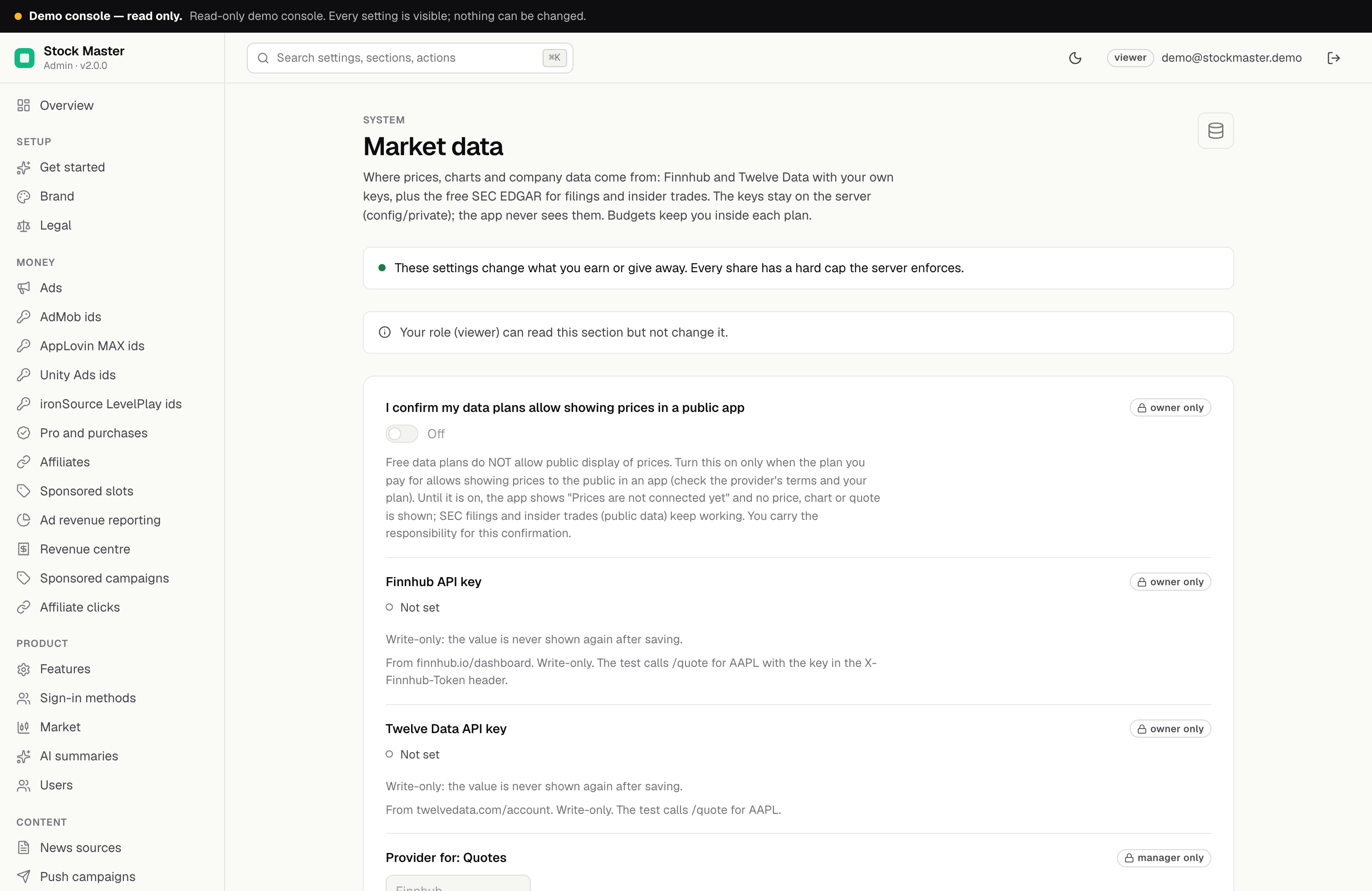
Prices come from your Finnhub and/or Twelve Data account. Free plans are generally meant for personal or internal use, not for showing prices to the public in an app. This is not legal advice and the terms change: read your provider's current terms and your plan's description, and ask the provider if it is unclear. Only turn the switch below on when the plan you pay for allows public display.
- Console → Market data → "I confirm my data plans allow showing prices in a public app". It is off by default and only the owner can change it. The change is written to the audit log.
- While it is off, every price endpoint (quotes, indices, stock page, chart, company news, earnings calendar, brief, report) answers
503 provider_not_licensed. The app shows "Prices are not connected yet" and no price, chart or quote. SEC filings and insider trades, which are public data, keep working. - The console's Status page says so in one line ("Prices may be shown (display licence confirmed)").
- The confirmation is yours. The code cannot verify your contract, and you carry the responsibility for what you show.
02The two providers
| Finnhub | Twelve Data | |
|---|---|---|
| Sign up | finnhub.io, dashboard shows the key | twelvedata.com, account page shows the key |
| How the backend calls it | Key in the X-Finnhub-Token header | Key as the apikey query parameter |
| Default route | Quotes, profile, fundamentals, company news, earnings calendar, search | Charts |
| Default budget in the console | 60 calls a minute, no daily cap | 8 calls a minute, 800 a day |
The default budgets match the free plans of the two providers as the console labels them. Set them to your own plan: the backend stops calling a provider that is over budget and uses the other one or the cache. Whether your plan includes a capability (for example historical candles for the longer chart ranges) is for you to check on the provider's site; if it does not, route that capability to the other provider or expect the chart to show an error state.
You need at least one key. With only one key, set every route to that provider. A capability whose routed provider has no key falls back to the other one if fallback is on and that one has a key.
03Set it up
- Get your key(s)On a plan whose terms allow showing prices in a public app.
- Enter them in the consoleMarket data → Finnhub API key and Twelve Data API key (owner only, write-only: the console never shows a saved key again). Press Test next to each. The test calls
/quotefor AAPL. - Routing and budgetsChoose the provider per capability (quotes, charts, profile, fundamentals, news, calendar, search), keep Fall back to the other provider on, and set the per-minute and per-day budgets to your plan.
- SEC contactBelow.
- Confirm the licenceOnly when your plan allows public display. Save. Open Status: "Prices may be shown" turns green.
04Cache times
Every answer is cached in memory and in Firestore to save provider calls. Defaults (seconds), editable under Market data → Cache:
| What | Default | What | Default |
|---|---|---|---|
| Quotes | 60 | Company news | 900 |
| Charts up to 1 month | 300 | Earnings calendar | 3600 |
| Charts 6 months and longer | 3600 | Search | 3600 |
| Company profile | 86400 | SEC filings | 900 |
| Key statistics | 3600 | Insider trades | 900 |
| SEC ticker list | 86400 |
When every provider fails, the last cached value is served with "stale": true and the app shows it as cached; with nothing cached the API answers 503 upstream_unavailable. The Provider usage page of the console shows calls, credits and errors per provider and month against your budgets.
05SEC EDGAR contact
SEC EDGAR is free and needs no key, but the SEC requires every client to identify itself and allows at most 10 requests per second.
- Enter a contactConsole → Market data → SEC EDGAR contact: your company name and a mailbox you read, in the form
Your Company you@example.com. It is sent as the User-Agent. It is not a secret and never shown in the app. - Test itThe test downloads the SEC ticker list with your contact.
- RateThe default 8 requests per second leaves room under the SEC's 10.
Without a contact the API answers 503 edgar_not_configured: filings, insider trades, search (it runs on the SEC ticker list) and news tagging stay off. Read the SEC's guidance on accessing EDGAR data before you launch.
06What the data covers
- US-listed companies and ETFs. Prices are in the listing currency (US listings: USD); there is no currency conversion.
- Symbols are upper case with
-for share classes (BRK-B); a.is accepted on input. - The index strip uses ETF proxies (SPY, QQQ, DIA, IWM) and labels them as such, because the indices themselves are separately licensed. Change the list in Console → Market (
SYMBOL|Labelper line, at most 12). The featured tickers the brief reads its movers from are in the same section (at most 50). - Analyst ratings are shown as counts (positive, neutral, negative), never as a recommendation.
07Errors you may see
| Answer | Meaning and fix |
|---|---|
503 provider_not_licensed | The display-licence switch is off. Confirm it only if your plan allows public display. |
503 upstream_unavailable | No provider is configured for that call, every provider failed and nothing was cached, or you are in the local demo without keys. Add a key or wait for the provider. |
503 edgar_not_configured | The SEC contact is empty. |
404 not_found | Unknown ticker, or the SEC has no filer for it (filings and insiders). |
More fixes: Troubleshooting.