Alerts and push
checked on the server.
Alerts are evaluated by the backend every 5 minutes, so they fire even when the app is closed. Push campaigns let you message everyone, Pro or free users.
01Alert types
| Type | Fires when |
|---|---|
| Price above / below | The price is at or above / below the target. |
| Up / down by % | The price moved by at least the percentage from the price when the alert was created or re-armed. |
| Earnings tomorrow | Between 09:00 and 20:59 New York time on the day before the company reports. |
| New SEC filing | A new 8-K, 10-Q or 10-K appears on EDGAR. |
| Insider purchase | A new Form 4 with transaction code P (an open-market purchase) appears. |
- The function
evaluateAlertsruns every 5 minutes. A short price spike between two checks can be missed; say so in your store listing if you promise alerts. - Event alerts fire once per event (deduplicated by filing number or earnings date) and only for events newer than when the alert was created or last re-armed. Repeat "once" stops after the first event; the default keeps watching.
- Price alerts need the display licence confirmed: without it they wait, and event alerts still run (Market data).
- The push text is in the device's language, and tapping it opens the company.
- How many active alerts a user may have is enforced by the server: 3 free, 100 Pro by default (Console → Pro and purchases). Invalid push tokens are removed automatically.
- The console's Alerts page shows active alerts by type and ticker and the triggers of the last 7 days.
Source: firebase/functions/src/api/alerts.ts, docs/CONTRACT-STOCKS.md.
There is no Firebase. Alerts live on the device and the app does not send push.
02Set up Firebase Cloud Messaging
- AndroidNothing extra beyond
flutterfire configure(Installation). On Android 13 and newer the app asks for the notification permission (POST_NOTIFICATIONSis declared inAndroidManifest.xml). - iOS: APNs keySee below. Without it iOS devices receive no push. Use a real device, not the Simulator.
- Deploy the backend
evaluateAlertsandsendCampaignsdeploy with the other functions (Firebase).
The app registers its push token with the API and subscribes to the topic all plus pro or free (app/lib/services/push_service.dart).
03APNs key (iOS)
- Create the keyApple Developer account → Certificates, Identifiers & Profiles → Keys → +, enable Apple Push Notifications service (APNs), download the
.p8file once, and note the Key ID and your Team ID. - Upload it to FirebaseProject settings → Cloud Messaging → your iOS app → APNs Authentication Key → Upload.
- CapabilityThe Runner target has the Push Notifications entitlement (
aps-environmentinapp/ios/Runner/Runner.entitlements, set todevelopment; Xcode switches it for App Store builds) and the remote-notification background mode. After you change the bundle id, check both under Signing & Capabilities.
It is a signing key for your Apple account. Never put it in the app, in git or in a support message.
04Push campaigns
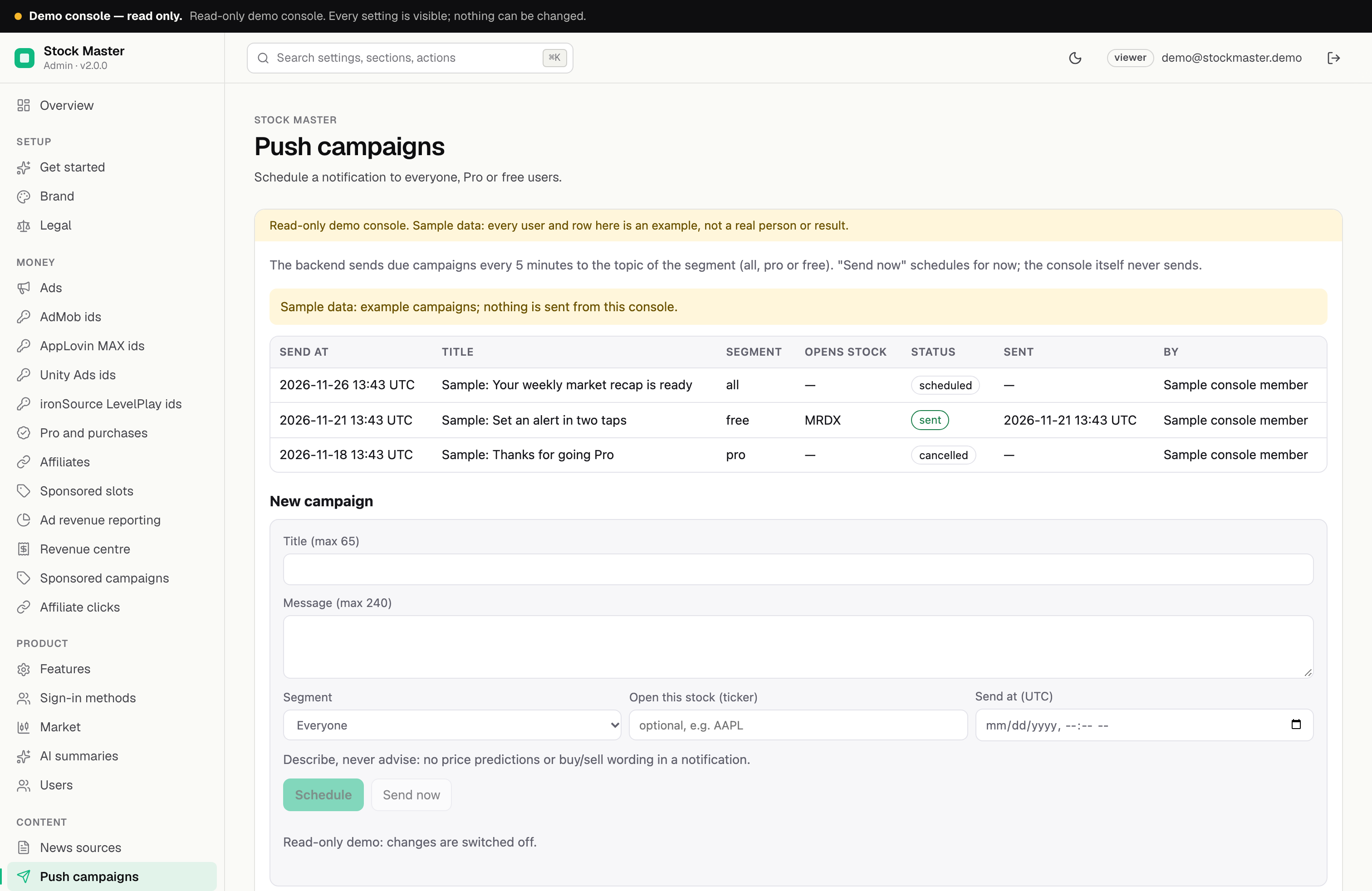
Console → Push campaigns: a title and message, a segment (all, Pro or free users), optionally a ticker to open when tapped, and a time, or Send now. You can cancel while it is scheduled.
The console never sends a message itself. It stores the campaign; the backend's sendCampaigns job (every 5 minutes) sends due campaigns to the FCM topic of the segment, so "Send now" goes out within about 5 minutes.
Apple and Google restrict marketing notifications. Do not use push for advertising without the user's consent, and never send investment tips or price predictions.