
Operator console
run the app without code.
A small Node server you host yourself. It writes your app's configuration to Firestore, keeps your keys encrypted, and adds pages for users, alerts, push campaigns, news and revenue.
011. Run it
The console reaches Firebase with the Admin SDK on the server; the browser never talks to Firestore. You need a service-account key of your Firebase project (Project settings → Service accounts → Generate new private key).
| Variable | Meaning |
|---|---|
GOOGLE_APPLICATION_CREDENTIALS | Path to the service-account key. Leave it empty on Cloud Run or Compute Engine to use the attached service account. |
FIREBASE_PROJECT_ID | Optional; set it when the credentials do not name the project. |
ADMIN_SECRET_KEY | 32 random bytes as hex. Encrypts the secrets the console stores. Back it up: without it the stored secrets cannot be read. Without it the console generates data/.admin-secret-key and warns. |
PORT | Default 8790. |
DATABASE_URL | Optional Postgres for the console's own data (team, sessions, settings, audit) instead of the file data/admin.sqlite. |
FIRESTORE_EMULATOR_HOST | Local development against the Firestore emulator (for example 127.0.0.1:8080), no credentials needed. Never set it on a production host. |
ADMIN_DATA | sample = built-in sample data, no Firebase. Empty = Firestore. Never on your real install. |
ADMIN_DEMO_PASSWORD | Only for a public read-only demo host. |
Copy admin/.env.example to admin/.env and fill in the lines you need (the console reads it if present):
cd admin
npm ci
node -e "console.log(require('crypto').randomBytes(32).toString('hex'))"   # copy the output
# create admin/.env with:
#   ADMIN_SECRET_KEY=<the hex string>
#   GOOGLE_APPLICATION_CREDENTIALS=/full/path/to/service-account.json
npm start # http://localhost:8790/adminIt bypasses Firestore security rules. Keep it only on the console's server, never in the app, in git or in a support message.
022. Create the owner
On the first start the log prints a one-time setup code. Open /admin, choose Create the owner, and enter the code, your e-mail and a password of 12 or more characters. A start before the owner exists prints a new code; any printed code works. Add managers and viewers under Team.
- Roles: viewers read; managers act on the product pages and change settings; only the owner sets secrets, store identifiers and the display-licence confirmation.
- Every write is in the kit's append-only audit log.
033. What to fill in, in order
- LegalPrivacy and terms URLs (required by the stores), the disclaimer and the labels.
- BrandApp name and support e-mail.
- Market dataKeys, routing, budgets, SEC contact, then the display-licence confirmation (Market data).
- News sources, AI summaries (optional).
- Money sections only when you are ready: Ads, ad ids, Pro and purchases, Affiliates, Sponsored.
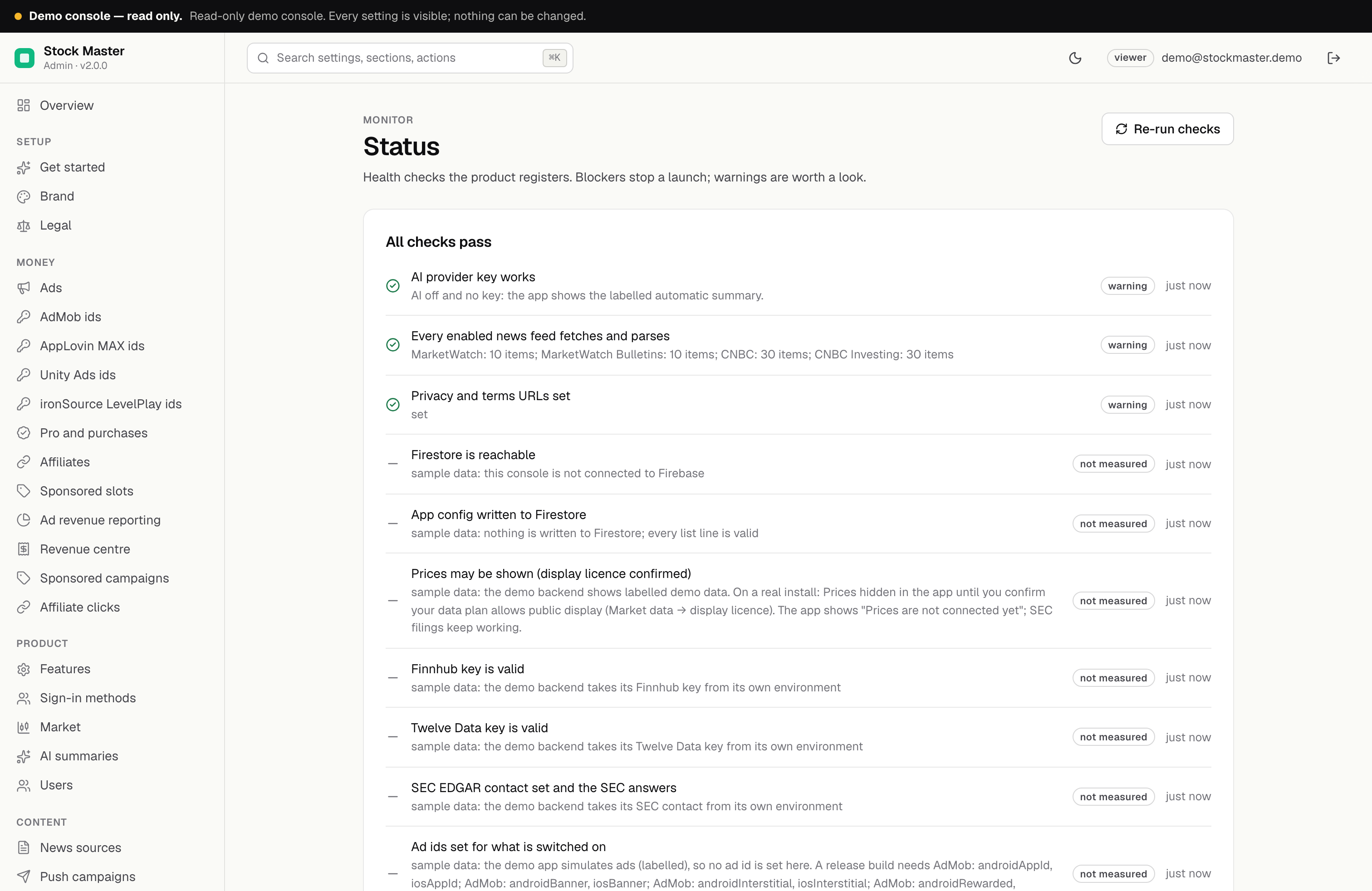
- StatusShows what is still missing.
04Settings sections
| Section | What it controls |
|---|---|
| Brand | App name and support e-mail. The app name is the app's title, the Pro screen title and the About page. (The accent colour field is stored; the app's colours come from the code: Rebranding.) |
| Legal | Terms and privacy URLs, disclaimer, the labels "AI-generated", "Automatic summary", "Sponsored", "Affiliate link". |
| Features | Portfolio, alerts, news, AI, widgets, cloud backup, earnings calendar, SEC filings. A switched-off feature disappears from the app. |
| Sign-in methods | Google, Apple, e-mail buttons. |
| Market | Refresh interval, the index strip (SYMBOL|Label), featured tickers. |
| Market data | Display licence, Finnhub and Twelve Data keys, routing, budgets, cache, SEC contact. |
| News sources | RSS feeds, refresh, retention. |
| AI summaries | Provider, key, model, caps, per-user allowances. |
| Ads, AdMob / AppLovin MAX / Unity Ads / ironSource LevelPlay ids | Which network, which placements, your ids. |
| Pro and purchases | Pro on/off, limits, perks, product ids, store verification. |
| Affiliates, Sponsored slots | Labelled partner links and sponsored tickers and news. |
| Ad revenue reporting | Optional reporting keys. |
Every number has a hard minimum and maximum. Invalid list lines (a news source without a URL, a waterfall naming a network without that format, a sponsored slot ending before it starts) are skipped, never guessed; Status lists every skipped line. Money switches default to off, and an untouched console writes exactly what the backend already falls back to.
05Product pages
| Page | What you see and do |
|---|---|
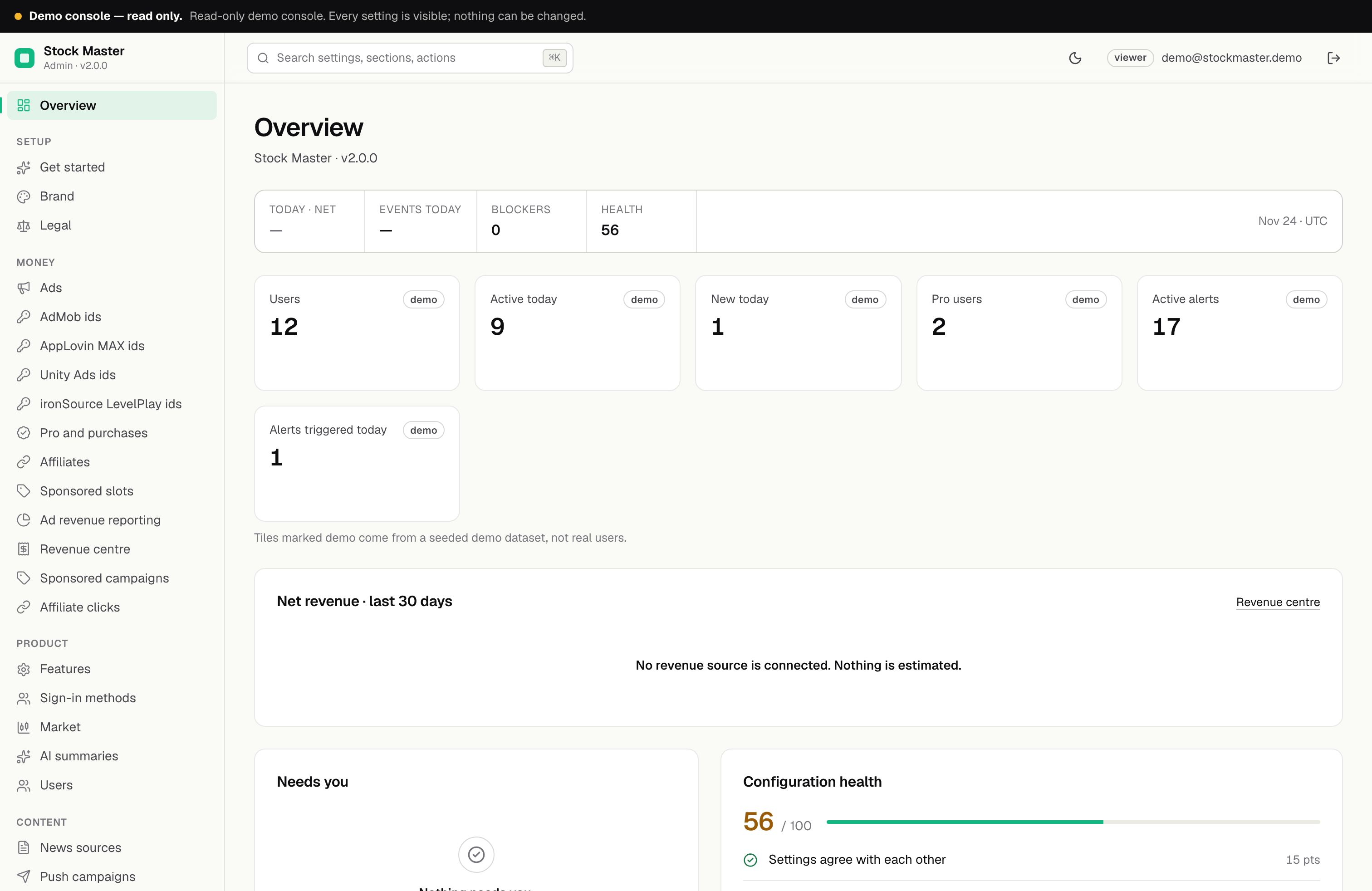
| Overview | Real counts only: users, active and new today, Pro users, active alerts, alerts triggered and AI calls today, provider usage this month. |
| Revenue centre | Measured revenue only; see Revenue centre. |
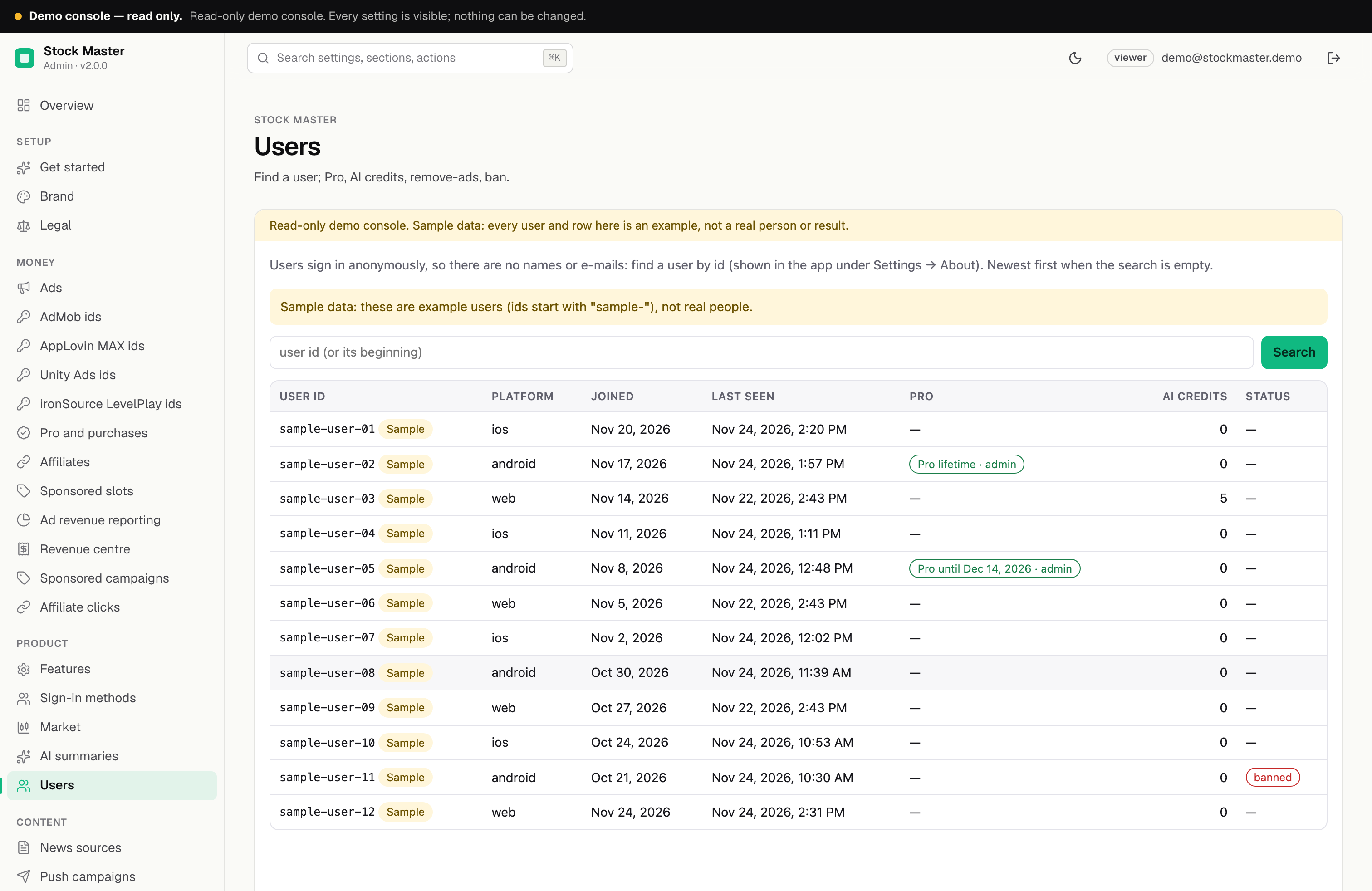
| Users | Search by user id (users sign in anonymously). Grant Pro until a date or for life, revoke a console grant, add or remove AI credits, grant remove-ads, ban or unban. Every action needs a reason and is audited. |
| Alerts | Active alerts by type and ticker, triggers in the last 7 days. Disable sets one alert inactive; the console never edits or deletes a user's alert otherwise. |
| Sponsored campaigns | Sponsored tickers and news with schedule, impressions and clicks (Affiliates and sponsored). |
| Affiliate clicks | Taps per broker link. |
| Push campaigns | Create, schedule and cancel (Alerts and push). |
| News | Newest stored headlines and the last item per source. |
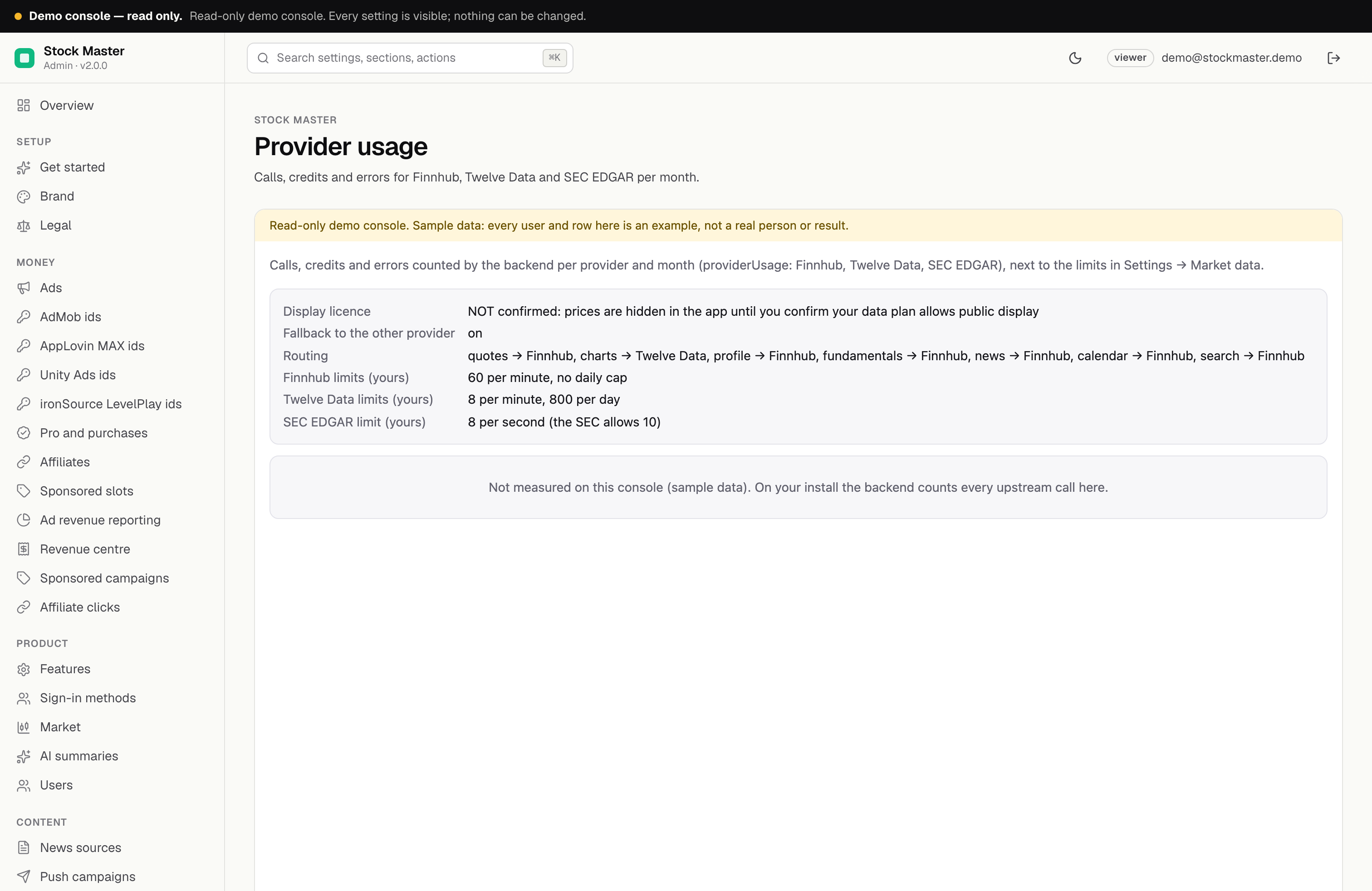
| Provider usage | Calls, credits and errors for Finnhub, Twelve Data and SEC EDGAR per month. |
| Status | Firestore reachable, last config sync, display licence, each key, SEC contact, AI key, each RSS feed, ad ids for what is on, store verification, ad reporting, revenue events without an amount, legal URLs. |
06What the console never does
- It never writes a field the backend owns (
proStore,alertsCount,stats,purchases,providerUsage,newsItems,briefs,stockReports,usage) and never creates a store revenue event. - It never sends a push message itself and never deletes a user's alert.
- It never estimates revenue, converts currencies or shows a projected earning.
- It never shows a saved key again and never puts one in
config/public.
07Secrets at rest and the key
Keys you enter (market data, AI, store verification, ad reporting) are encrypted with ADMIN_SECRET_KEY, written only to config/private and never sent to the browser. If you lose ADMIN_SECRET_KEY or change it, the stored secrets cannot be decrypted: enter them again. Back up data/ and the key together. If ADMIN_SECRET_KEY is unset the console generates data/.admin-secret-key; back that file up too.
08Where to host it
- Any Node host (VPS, Render, Railway, Fly, a container):
npm ci && npm start. Putdata/on a persistent disk and back it up with the key. Run one instance. - Docker:
docker build -t stockmaster-admin . && docker run -p 8790:8790 -v stockmaster-admin-data:/app/data --env-file .env stockmaster-admin. Mount the service-account file into the container and pointGOOGLE_APPLICATION_CREDENTIALSat the path inside it. - Serverless or several instances (Cloud Run with autoscaling): set
DATABASE_URLto a Postgres database (pooled URL withsslmode=require) andADMIN_SECRET_KEY. On Cloud Run attach an account with the Cloud Datastore User role and leaveGOOGLE_APPLICATION_CREDENTIALSempty. - HTTPS in front of it (reverse proxy or platform TLS). The session cookie is marked Secure over HTTPS and the server honours
x-forwarded-proto. - Compiled build:
npm run build && npm run start:dist.
09A public read-only demo console
To publish a console that needs no Firebase, set ADMIN_DATA=sample and ADMIN_DEMO_PASSWORD=<a password you publish>. Visitors sign in as demo@stockmaster.demo, a viewer; every write answers 403. The sample users, alerts and campaigns are labelled "Sample", and the sample has no revenue, no news and no provider usage.